
HP ProBook 6440b 6445b and 6450b Screen
KSh3,500.00
-
Compatible with HP EliteBook 6440b / 6445b / 6450b
-
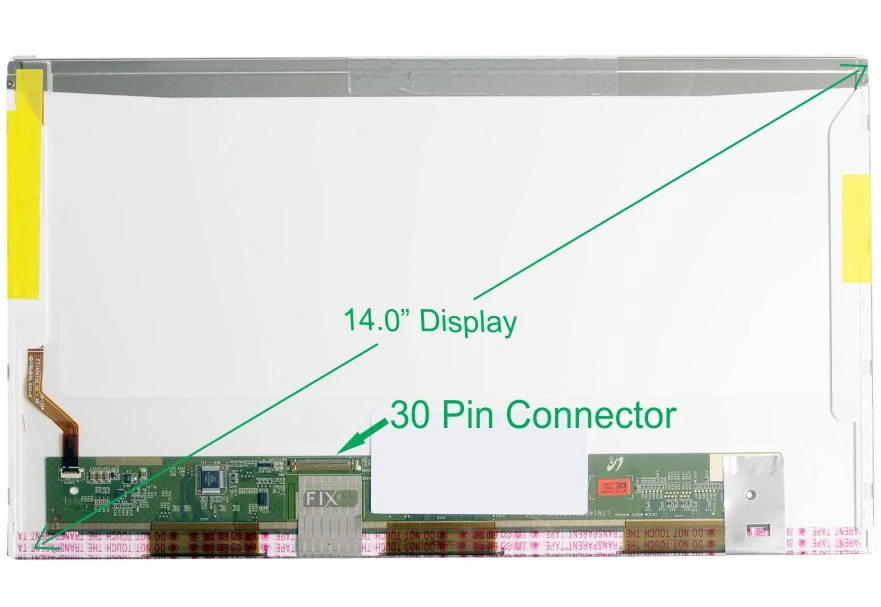
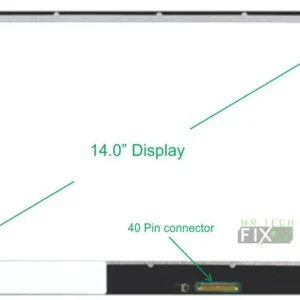
14.0-inch HD (1600×900) display for clear and sharp visuals
-
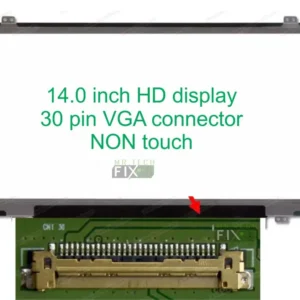
40-pin connector located at the bottom right
-
Super bright LED backlight for vibrant clarity
-
LCD non-touch panel
-
Ideal for fixing cracked, flickering, black, or dim laptop screens
Description
HP EliteBook 6440b / 6445b / 6450b Screen Replacement – 14.0″ HD LED Display
Restore your laptop display quality with this premium 14.0-inch HD (1600 × 900) replacement screen designed for HP EliteBook 6440b, 6445b, and 6450b models. Featuring a 40-pin bottom-right connector, this screen is engineered to deliver excellent brightness, clarity, and long-lasting performance.
This is a non-touch LCD panel equipped with a super bright LED backlight, offering enhanced visibility and crisp picture quality suitable for work, entertainment, and business use. Whether your laptop has a cracked screen, lines on display, dim backlight, flickering, or no display, this replacement provides a perfect fit and restores full functionality.
Why Choose This Replacement Screen?
-
Perfect OEM match for HP ProBook 6440b 6445b and 6450b Screen
-
Bright, energy-efficient LED backlight
-
HD resolution for sharp text and visuals
-
Durable and long-lasting display panel
-
Easy installation for technicians and DIY users
Frequently Asked Questions (FAQ) For HP Probook 6440b 6445b and 6450b Screen
1. Is this screen compatible with all HP ProBook 6440b 6445b and 6450b Screen models?
Yes, it is fully compatible with the three models listed.
2. Is this a touchscreen?
No. This is a non-touch LCD screen.
3. Do I need to check the connector position?
Yes. This screen uses a 40-pin bottom-right connector, which must match your current screen.
4. Can I install it myself?
Yes. If you’re experienced with laptop repairs, screen installation takes about 10–15 minutes. Otherwise, seek a technician.
5. What issues can this screen fix?
-
Cracked or broken screen
-
No display or black screen
-
White display or distorted colors
-
Flickering or dim backlight
-
Horizontal / vertical lines on the screen
Tips to Prevent Future Screen Damage
-
Use a padded laptop bag to avoid pressure cracks
-
Avoid placing heavy objects on your laptop
-
Clean the screen with a microfiber cloth only
-
Do not open or close the laptop forcefully
-
Keep liquids away to avoid moisture damage
Reviews
There are no reviews yet.