
HP elitebook 830 G10 Screen
KSh35,000.00
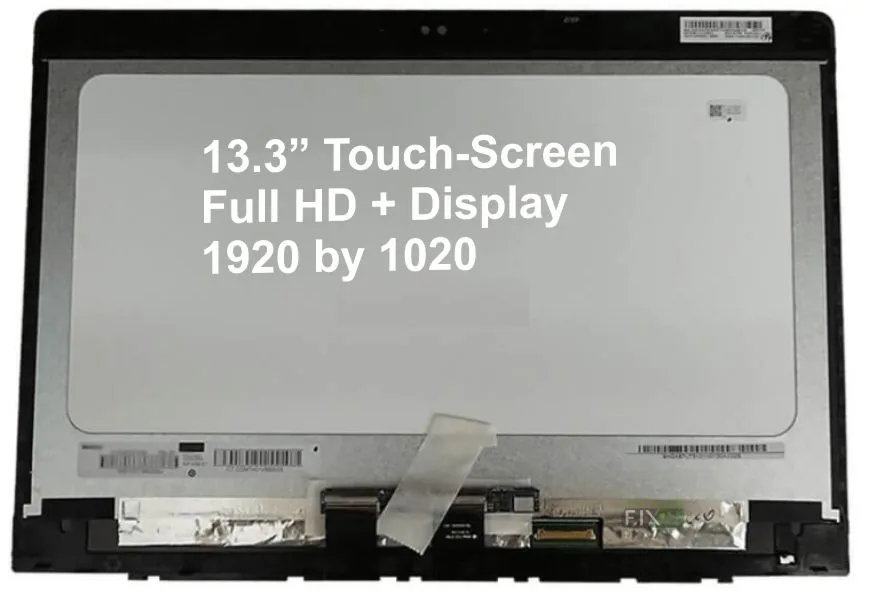
HP EliteBook 830 G10 Screen – 13.3″ FHD Touchscreen Replacement
-
Series: HP EliteBook
-
Model: 830 G10
-
Screen Size: 13.3 Inches
-
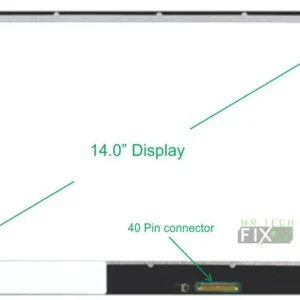
Connector: Bottom eDP, 40 Pins
-
Resolution: 1920 × 1080 Full HD
-
Type: Touchscreen Crystal Clear LCD
-
Backlight: Super Bright LED Strip
-
Installation: Free Installation Available
Description
HP EliteBook 830 G10 Screen Replacement | Crystal Clear 13.3″ FHD Touchscreen Upgrade
The HP EliteBook 830 G10 Screen is the perfect replacement display for users experiencing cracks, black spots, flickering, touchscreen failure, or complete display loss on their HP EliteBook 830 G10 laptop. This premium-grade 13.3-inch Full HD touchscreen panel is built to match original manufacturer specifications, delivering exceptional clarity, accuracy, and durability.
Whether your screen was damaged by impact, pressure, liquid, or wear over time, replacing it with this HP EliteBook 830 G10 Screen restores your laptop’s visual performance to factory quality.
This replacement display features a crystal-clear LCD, super bright LED backlight, and a 1920 x 1080 FHD resolution that ensures sharp text, vivid colors, and smooth touch interaction.
Why Choose This HP EliteBook 830 G10 Screen Replacement?
Choosing the HP EliteBook 830 G10 Screen ensures you get a high-quality, durable, and perfectly compatible display. It is built specifically for the G10 series and fits seamlessly without modification.
i) Full Compatibility with EliteBook G10 Series
This replacement screen is engineered to work flawlessly with:
-
HP EliteBook 830 G9 (optional cross-compatibility depending on model)
It uses the correct eDP 40-pin bottom connector, ensuring proper power delivery, brightness control, and touch accuracy.
ii) Full HD Resolution for Professional Clarity
The 1920 × 1080 FHD display provides:
-
High brightness
-
Sharp edges
-
Accurate color reproduction
-
Smooth touch response
This makes it ideal for business use, online classes, graphics work, video streaming, and multitasking.
iii) Touchscreen Crystal Clear LCD
The touchscreen technology ensures fast and accurate touch recognition. Whether you’re scrolling, swiping, zooming, or writing with touch gestures, the panel responds instantly and smoothly.
Technical Features of the HP EliteBook 830 G10 Screen
a) 13.3-Inch Size – Perfect for Productivity – The compact 13.3-inch size makes the EliteBook ideal for travel, work, or school.
The replacement maintains the exact same size, bezels, and mounting points.
b) eDP 40-Pin Bottom Connector – The Bottom eDP (Embedded DisplayPort) 40-pin connector ensures:-
-
Correct voltage
-
Fast display transfer
-
High refresh performance
-
Accurate brightness and touch functionality
c) Super Bright LED Backlight – The screen uses a high-performance LED strip that offers:
-
Brighter whites
-
Cleaner blacks
-
Better outdoor visibility
-
Lower power consumption
This improves battery life compared to older CCFL screens.
Common Issues Solved by the HP EliteBook 830 G10 Screen
Replacing your HP elitebook 830 G10 Screen solves the following problems:
- Cracked or Shattered Screen – Impacts and drops often cause cracks—this replacement restores full functionality.
- Black Spots or Color Bleeding – Damaged LCD crystals cause dark spots or leakage; replacing the screen fixes it.
- Flickering or Lines on Display – This is caused by LCD failure—new screen resolves it instantly.
- Touchscreen Not Working – If the touch panel is unresponsive, replacing the display restores precision touch.
- Dim or No Backlight – LED strip failure causes dim brightness; this replacement solves it completely.
Free Professional Installation for the HP EliteBook 830 G10 Screen
We offer free installation, ensuring your screen is fitted safely and professionally. The process includes:
-
Opening the top lid
-
Removing the broken display
-
Disconnecting the 40-pin connector
-
Installing the new HP EliteBook 830 G10 screen
-
Testing touch and display functions
This guarantees clean installation with no frame damage or loose connectors.
How to Care for Your HP EliteBook 830 G10 Screen
-
Avoid pressing the screen too hard
-
Use a microfiber cloth to clean gently
-
Keep liquids away from the laptop
-
Close the lid slowly from the center
-
Use a screen protector for scratch protection
FAQ – HP EliteBook 830 G10 Screen Replacement
Q1) Is this screen compatible with the HP EliteBook 830 G10?
Yes, it is fully compatible.
Q2) Is this a touchscreen?
Yes, it’s a touchscreen crystal-clear LCD.
Q3) Does it have a 40-pin connector?
Yes, it uses the bottom eDP 40-pin connector.
Q4) Do you offer installation?
Yes — installation is completely free.
Q5) What is the screen resolution?
Full HD 1920 × 1080.
Reviews
There are no reviews yet.