
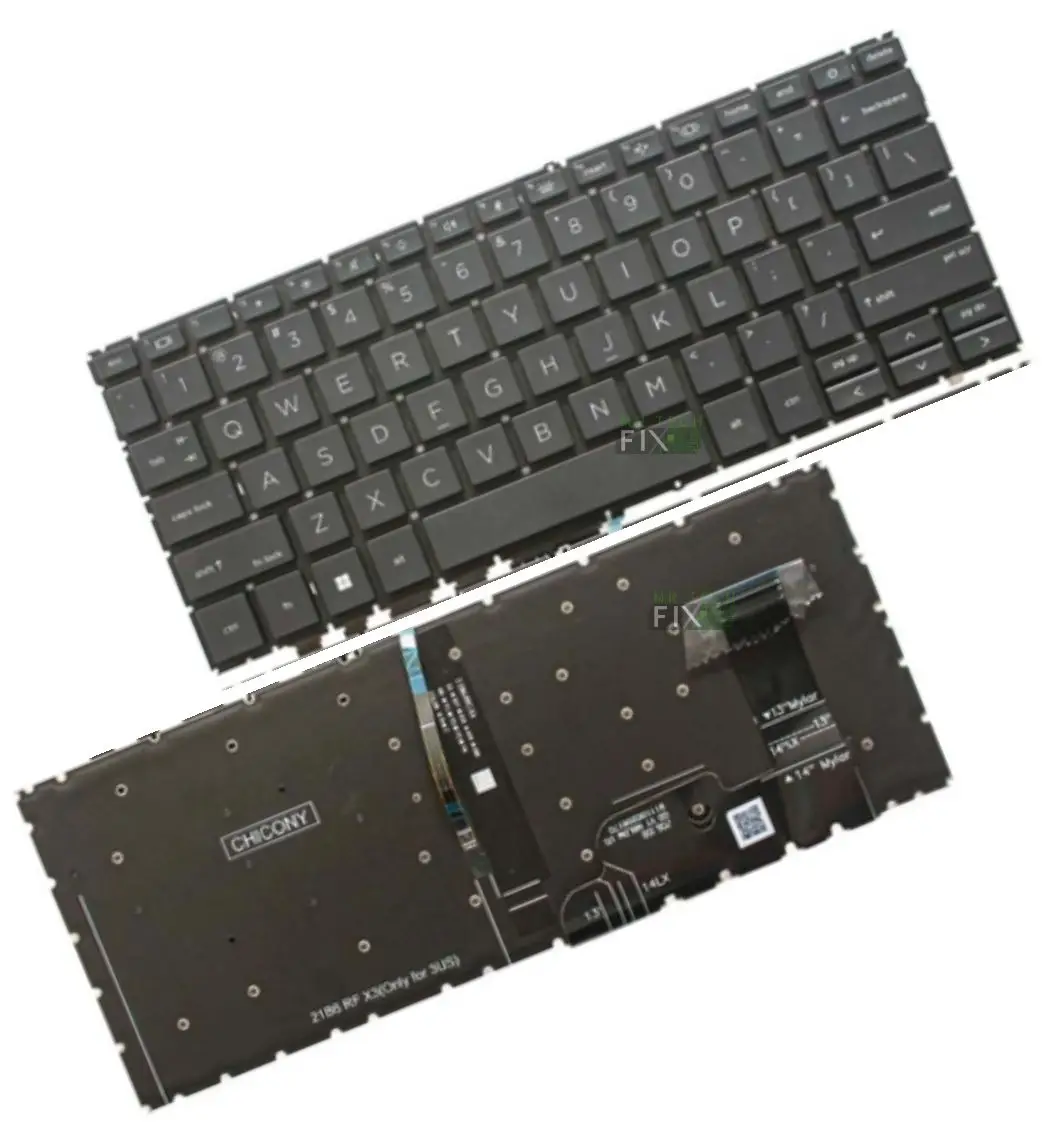
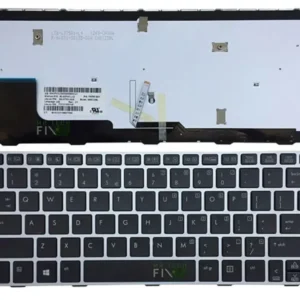
HP EliteBook 830 G10 keyboard
KSh4,500.00
HP EliteBook 830 G10 Keyboard – Premium Backlit Replacement
-
Series: HP EliteBook
-
Model: 830 G10
-
Condition: Brand New
-
Layout: USA QWERTY
-
Color: Black
-
Type: Backlit Keyboard, Under-Fit with holes to melt & solder the keyboard to position
-
Installation: Remove labelled screws → Gently lift the keyboard → Detach ribbon cable → Replace with new keyboard
Description
HP EliteBook 830 G10 Keyboard Replacement | High-Quality Backlit Keyboard for Perfect Performance
The HP EliteBook 830 G10 Keyboard is the ideal replacement part if your laptop keys have stopped working, the backlight is faulty, some keys are missing, or the keyboard has been damaged due to liquid spills or heavy use. This brand-new keyboard is designed specifically for the HP EliteBook 830 G10, ensuring perfect compatibility, accurate key travel, and long-lasting performance.
Built with a U.S.A QWERTY layout, this keyboard delivers comfort, precision, and the smooth typing experience expected from the EliteBook line. It comes in a clean Black finish and features a built-in backlight, making it ideal for low-light environments such as offices, classrooms, or night-time work sessions.
Why Choose the HP EliteBook 830 G10 Keyboard Replacement?
Choosing this HP EliteBook 830 G10 Keyboard ensures your laptop regains full typing performance with a perfect factory-level fit. It is built using high-quality materials and designed to work exactly like the original keyboard installed on the G10 series.
a) 100% Compatibility with HP EliteBook 830 G10
This replacement is engineered for the HP EliteBook 830 G10, matching the exact structure, layout, and design of the original keyboard. No adjustments or modifications are needed — just plug, fit, and use.
b) Backlit Keyboard for Enhanced Visibility
The keyboard includes a professional-grade LED backlight, providing excellent visibility in:
-
Low-light offices
-
Study environments
-
Night travel
-
Dark rooms
The backlight is bright, energy-efficient, and evenly distributed.
c) Durable Under-Fit Design with Melted Plastic Points
The HP EliteBook 830 G10 Keyboard uses an under-fit structure featuring small plastic melt points (factory-styled rivets). These hold the keyboard firmly in place, ensuring:
-
Zero shaking
-
Zero movement
-
Longer lifespan
-
Strong structural support
It also includes dedicated holes for soldering or plastic-weld fit, matching the original HP build.
How to Install the HP EliteBook 830 G10 Keyboard (Step-by-Step Guide)
Replacing the HP EliteBook 830 G10 Keyboard requires patience and a bit of care. Here is the recommended installation procedure:
Step 1 – Turn Off the Laptop
Shut down the laptop completely and disconnect the charger.
Step 2 – Open the Bottom Cover
Use a screwdriver to open the back cover of your EliteBook G10.
Step 3 – Locate the Keyboard Screws
HP marks internal screws, often labeled “Keyboard”, for easy identification.
Step 4 – Remove Keyboard Screws
Unscrew the keyboard screws, which secure the melted plastic points.
Step 5 – Gently Lift the Keyboard
Lift the keyboard from the top side. Note that it may feel tight because it is attached through plastic-melted rivet points.
Step 6 – Disconnect the Ribbon Cable
Carefully disconnect the keyboard ribbon cable that attaches to the motherboard.
Step 7 – Install the New HP EliteBook 830 G10 Keyboard
Connect the ribbon cable to the new keyboard, fit it into place, secure the melted points/screws, and reassemble the device.
The process takes about 40 minutes to 1 hour.
Problems Solved by Replacing the HP EliteBook 830 G10 Keyboard
Replace your HP EliteBook 830 G10 keyboard if you are facing issues such as:
- Keys Not Working or Responding
Faulty circuits inside the keyboard cause non-responsive keys — a full replacement solves it. - Missing or Popped Keys
When keys fall off or break, installing a new HP EliteBook 830 G10 Keyboard restores normal typing. - Keyboard Typing by Itself
Short circuits in the keyboard cause ghost typing — replacement is the only reliable fix. - Backlight Not Working
A failed LED backlight strip is not repairable — a new keyboard restores visibility. - Liquid Damage or Spills
Coffee, tea, water, and juice spills permanently damage keyboard lines. Replacing the keyboard is the effective solution.
Tips to Increase the Lifespan of Your HP EliteBook 830 G10 Keyboard
-
Avoid eating over your laptop
-
Keep liquids away to avoid spills
-
Clean dust using compressed air
-
Use a keyboard protector if you work in dusty areas
-
Close the laptop gently, holding the center
FAQ – HP EliteBook 830 G10 Keyboard Replacement
Q1) Is this keyboard compatible with HP EliteBook 830 G10?
Yes, it is designed specifically for the G10 model.
Q2) Does it have a backlight?
Yes, it includes a bright, energy-efficient backlight.
Q3) What layout does it use?
USA Standard QWERTY layout.
Q4) Is installation difficult?
Moderate difficulty — the keyboard has melted plastic points but can be replaced easily.
Reviews
There are no reviews yet.