
HP 240 G7 Screen
Series: HP 240 Series
Model: HP 240 G7 Screen
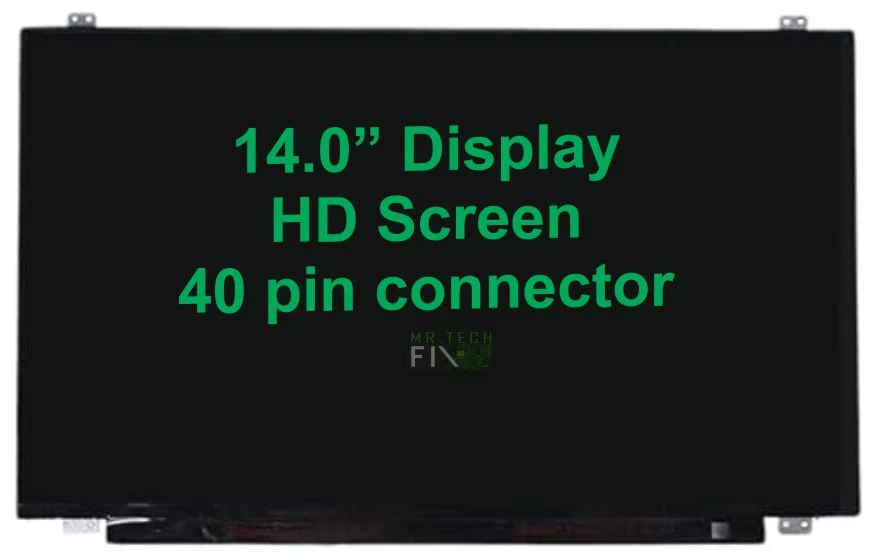
Size: 14.0 inches
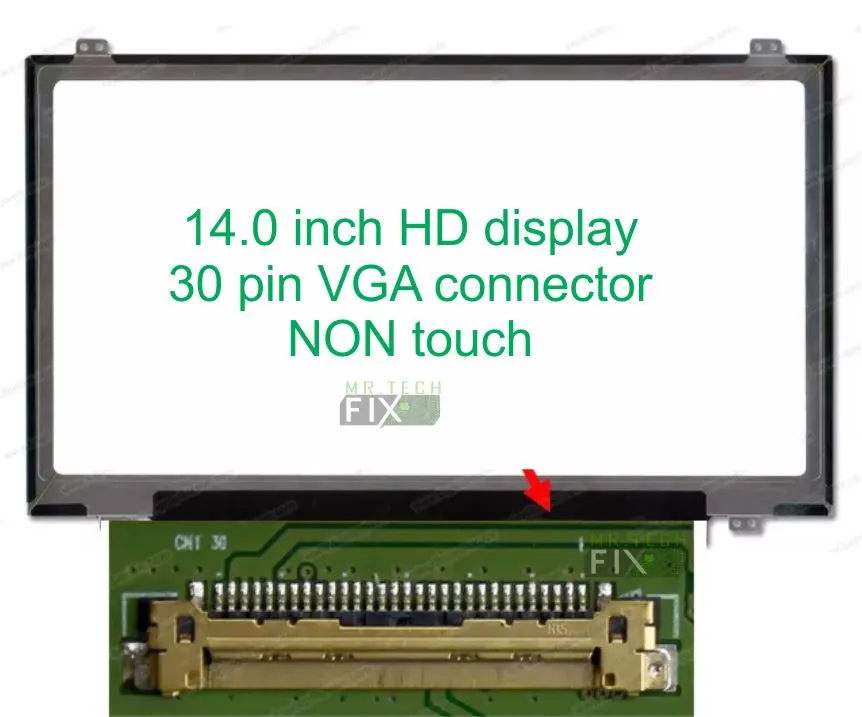
VGA Connector: Right side eDP 30 Pins Connector
Resolution: HD 1366×768 / FHD 1920×1080 Compatible
Type: Crystal clear LCD panel
Backlight Lamp: Super bright LED strip
Installation: We offer free installation
Description
Description
HP 240 G7 Screen – High-Quality Replacement Display for Clear, Bright & Reliable Visual Performance
The HP 240 G7 Screen is a premium replacement display designed specifically for the HP 240 G7 laptop series. It is engineered to deliver perfect compatibility, stable performance, and long-lasting reliability. If your original screen is cracked, black, flickering, dim, or showing lines, this replacement is the ideal solution to restore your laptop back to full working condition. The HP 240 G7 Screen ensures sharp visuals, improved brightness, and a smooth viewing experience for everyday computing needs.
Why Choose the HP 240 G7 Screen?
The HP 240 G7 Screen is designed to restore your laptop’s original display quality without compromising performance. It provides a cost-effective repair solution compared to replacing the entire laptop. This screen is trusted by technicians and users because it offers consistent output, durability, and accurate color reproduction. Whether for work, study, or entertainment, the Screen ensures your laptop performs like new again.
HP 240 G7 Screen for Everyday Use and Productivity
It is built for daily usage scenarios such as office work, online classes, browsing, and multimedia consumption. With a 14.0-inch display size, it provides the perfect balance between portability and usability. The screen allows users to comfortably multitask, read documents, and view content without strain. Its wide viewing area makes it suitable for both personal and professional environments, improving overall productivity.
HP 240 G7 Screen Display Quality and Resolution
This replacement display supports HD or Full HD resolution options, depending on the specific model variant. The Screen delivers crisp text, sharp images, and vibrant colors that enhance the overall visual experience. It ensures that videos, presentations, and documents appear clear and professional. The high-definition output makes it suitable for users who require accuracy and clarity in their daily tasks.
HP 240 G7 Screen Brightness and LCD Technology
The HP 240 G7 Screen uses advanced crystal-clear LCD technology combined with a powerful LED backlight system. This ensures strong brightness levels and consistent performance across different lighting conditions. Whether you are working indoors, in a classroom, or in a bright office environment, the display remains visible and easy to read. It also helps reduce eye strain during long working hours, making it comfortable for extended use.
Common Problems Solved by Screen Replacement
Replacing your display with a HP 240 G7 Screen helps solve many common laptop screen issues, including:
- Cracked or physically broken screen
- Flickering or unstable display
- Vertical or horizontal lines
- Dim or dark screen problems
- Dead pixels or black screen
- Display not showing despite laptop being on
Installing a new Screen restores full functionality and eliminates these frustrating issues, bringing your laptop back to life.
HP 240 G7 Screen Compatibility and Fitment
The HP 240 G7 Screen is fully compatible with HP 240 G7 laptop models that use a 14.0-inch eDP 30-pin connector display. It is designed for precise fitting, ensuring no compatibility issues during installation. Using a model-specific screen helps prevent display errors, signal issues, and improper connections. This makes it a reliable choice for technicians and repair professionals.
HP 240 G7 Screen Installation Guide and Safety Tips
Installing the Screen requires careful handling and technical knowledge. Proper installation ensures the screen functions correctly and prevents damage to internal components.
Basic installation steps include:
- Turn off the laptop and disconnect all power sources
- Carefully remove the screen bezel
- Unscrew and detach the damaged display panel
- Disconnect the eDP 30-pin cable
- Connect the new HP 240 G7 Screen securely
- Fit the screen back into place and reassemble the bezel
- Test the display before final closure
⚠️ Important: It is highly recommended that installation be done by a qualified technician to avoid damage to the screen, cable, or motherboard.
Benefits of Replacing Your HP 240 G7 Screen
Replacing your damaged screen provides several important benefits:
- Restores original display clarity and brightness
- Improves overall laptop performance and usability
- Extends the lifespan of your device
- Cost-effective alternative to buying a new laptop
- Enhances productivity and user experience
The HP 240 G7 Screen is ideal for students, business professionals, freelancers, and home users who depend on a fully functional laptop.
Final Thoughts on HP 240 G7 Screen
The HP 240 G7 Screen is a reliable and high-quality replacement solution for restoring your laptop’s display performance. It combines durability, brightness, and clear visuals to ensure long-term satisfaction. With proper installation, it delivers like-new performance and helps extend the life of your HP 240 G7 laptop. If you are looking for a dependable and affordable screen replacement, the Screen is the perfect choice.
Reviews
There are no reviews yet.