
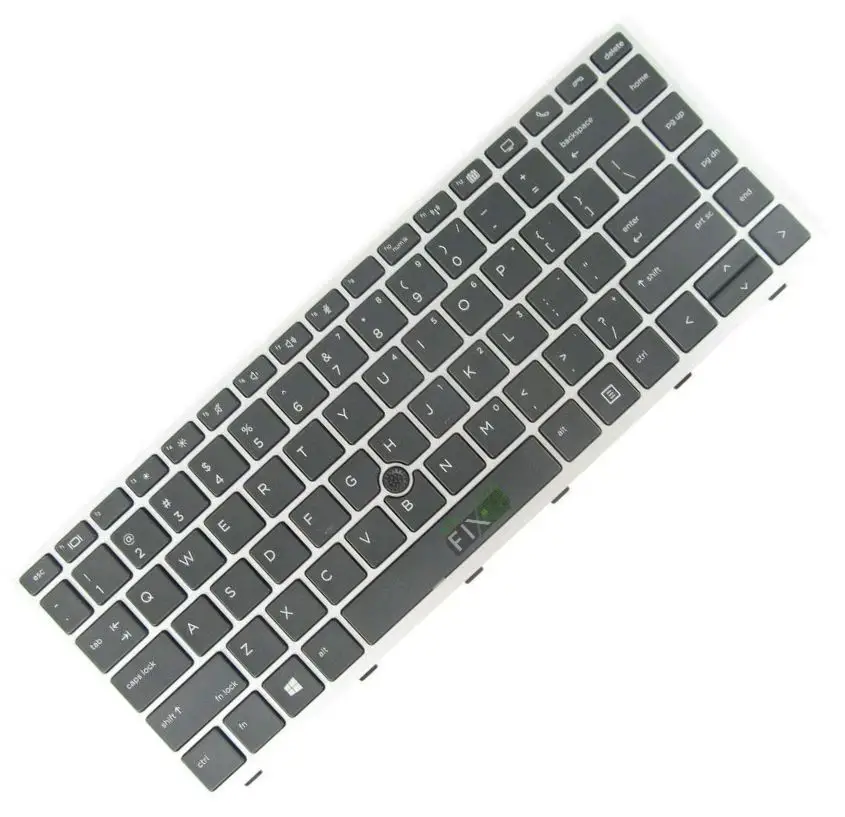
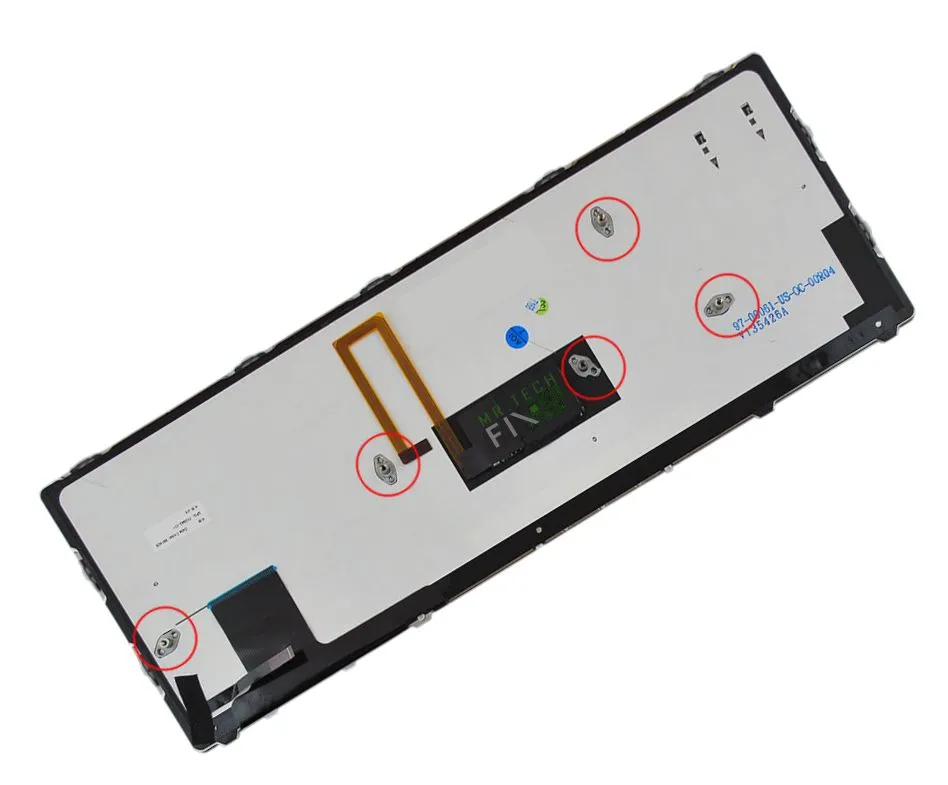
Keyboard for HP folio 9470m and 9480
KSh2,500.00
- Series: Elitebook Folio
- Model: 9470M or 9480M
- Size: 14.0 inch’s
- Condition: New
- Type: U.S.A Format (QWERTY), Non Backlight
- Color: Black
Description
Premium Keyboard for HP Folio 9470m and 9480m – Reliable, Durable & Perfect Fit
Keyboard for HP Folio 9470m and 9480m – Long Description
The Keyboard for HP Folio 9470m and 9480m is the perfect replacement for anyone experiencing typing issues, missing keys, liquid damage, or worn-out keys on their HP EliteBook Folio laptop. Designed with precision and built to match the original specifications, this replacement keyboard ensures smooth performance, excellent typing comfort, and long-lasting durability. Whether you are repairing your device or upgrading it for improved experience, this keyboard guarantees compatibility, responsiveness, and a professional finish.
This high-quality keyboard is specifically engineered for the HP EliteBook Folio Series, supporting models 9470m and 9480m, which are known for their lightweight design and business-class efficiency. The keyboard fits perfectly into the 14-inch chassis, offering a seamless integration without any gaps or alignment issues. With its USA-format layout, non-backlit design, and sleek black color, it provides everything you need for precise and reliable typing.
H2: Keyboard for HP Folio 9470m and 9480m – Key Features
H3: Perfect Compatibility with EliteBook Folio Series
This Keyboard for HP Folio 9470m and 9480m is manufactured to match the exact dimensions and connector type for both models. You don’t need any modification or special tools—simply remove your old keyboard and install the new one. It fits:
-
HP EliteBook Folio 9470m
-
HP EliteBook Folio 9480m
-
14.0-inch laptop size
The installation is straightforward, making it ideal for technicians, businesses, or home users needing a quick and professional repair.
H3: High-Quality Build for Everyday Use
Durability is a key factor when choosing a replacement keyboard, and this one excels in:
-
Strong key structure for long-term reliability
-
Soft-touch keys for comfortable typing
-
Responsive key feedback for professional and academic work
-
Spill-resistant design (minimal protection)
-
New condition, not refurbished
Everything about this keyboard is made to last, ensuring you get maximum value and performance.
H2: Why Choose the Keyboard for HP Folio 9470m and 9480m?
H3: Ideal Replacement for Damaged or Malfunctioning Keyboards
If your current keyboard has any of the following issues, this replacement is the perfect solution:
-
Keys not working
-
Keys typing by themselves
-
Missing or broken keys
-
Sticky keys from liquid spills
-
Irresponsive keyboard after cleaning
-
Worn-out keyboard after years of usage
Installing the Keyboard for HP Folio 9470m and 9480m restores your laptop’s functionality instantly.
H3: Professional Look & Feel
The black color blends seamlessly with the Folio’s sleek metallic finish. Every key is crisp, firm, and designed for consistent use. Whether typing emails, coding, writing reports, or browsing, you’ll enjoy a smooth and comfortable experience.
Product Specifications
-
Series: EliteBook Folio
-
Model Supported: 9470M / 9480M
-
Keyboard Layout: U.S.A Format
-
Type: Non-Backlit
-
Color: Black
-
Condition: Brand New
-
Laptop Size Compatibility: 14.0-inch
Benefits of the Keyboard for HP Folio 9470m and 9480m
-
Excellent response time for fast typing
-
Enhances productivity with accurate key presses
-
Perfect for office work, school, or programming
-
Easy to install—no soldering required
-
Affordable replacement compared to buying a new laptop
-
Long-lasting materials for extended use
This makes it a great investment, especially for businesses and professionals who rely on consistent laptop performance.
Installation Tips for Your New Keyboard for HP Folio 9470m and 9480m
Basic Installation Steps
-
Power off the laptop completely.
-
Remove the back cover safely.
-
Unscrew the keyboard retention screws.
-
Gently disconnect the keyboard ribbon cable.
-
Replace with the new keyboard.
-
Secure the cable and screws.
-
Reassemble the cover and power on your laptop.
If you’re unsure, visiting a professional technician is always recommended.
Frequently Asked Questions (FAQ)
Q1: Is this the original HP keyboard?
It is a high-quality OEM-compatible replacement designed to match the original specifications.
Q2: Does this keyboard support backlight?
No, this is a non-backlit keyboard, same as the standard version for the Folio series.
Q3: Will it fit any other HP model?
No, it is specifically made for HP Folio 9470m and 9480m only.
Q4: Is installation difficult?
Installation is straightforward for technicians or anyone comfortable opening a laptop.
Reviews
There are no reviews yet.